32-bit console digital reverb · owner's manual — v1.0

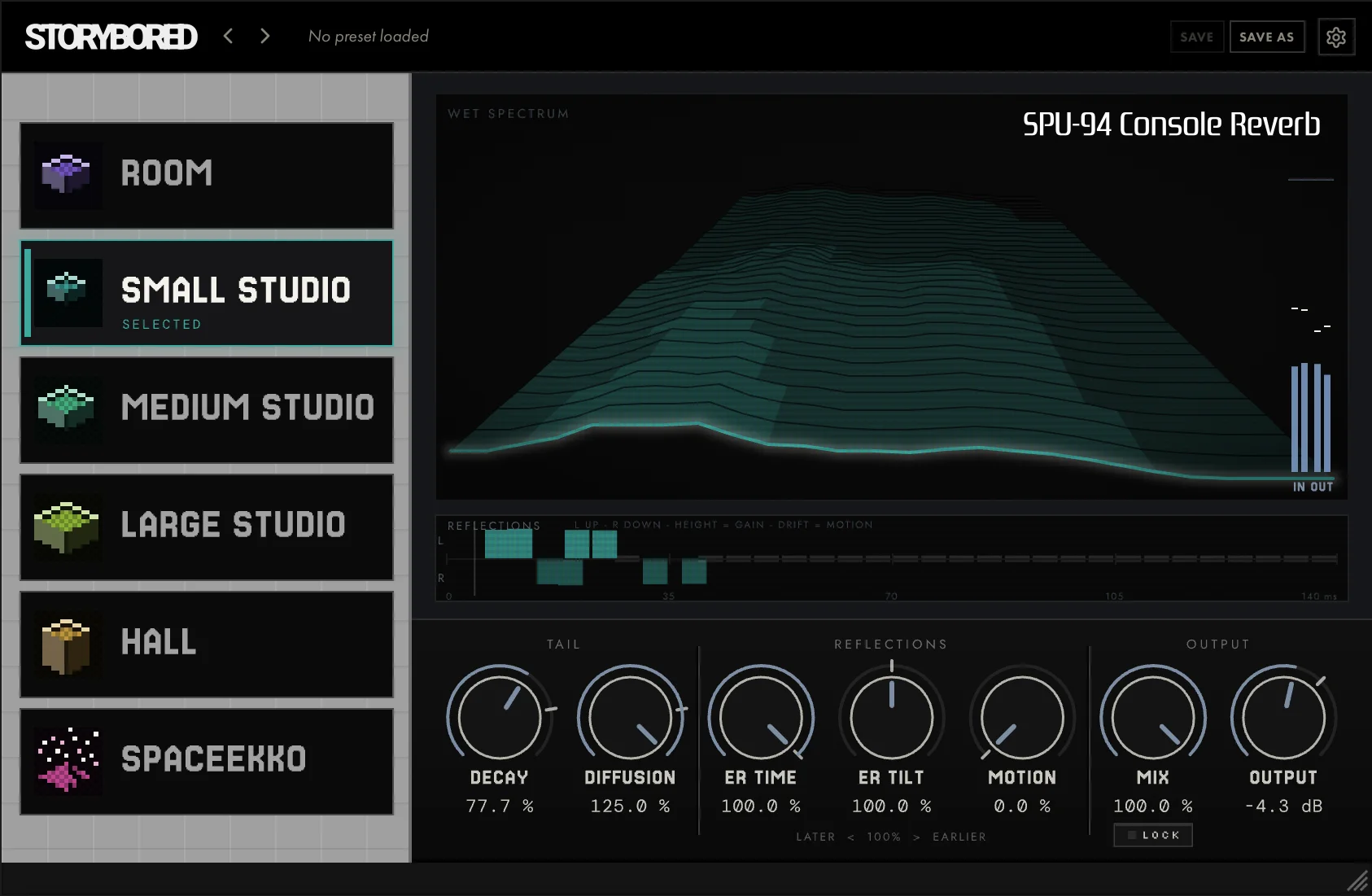
ROOM

SMALL STUDIO

MEDIUM STUDIO

LARGE STUDIO

HALL

SPACEEKKO

32-bit console digital reverb · owner's manual — v1.0
ROOM
SMALL STUDIO
MEDIUM STUDIO
LARGE STUDIO
HALL
SPACEEKKO
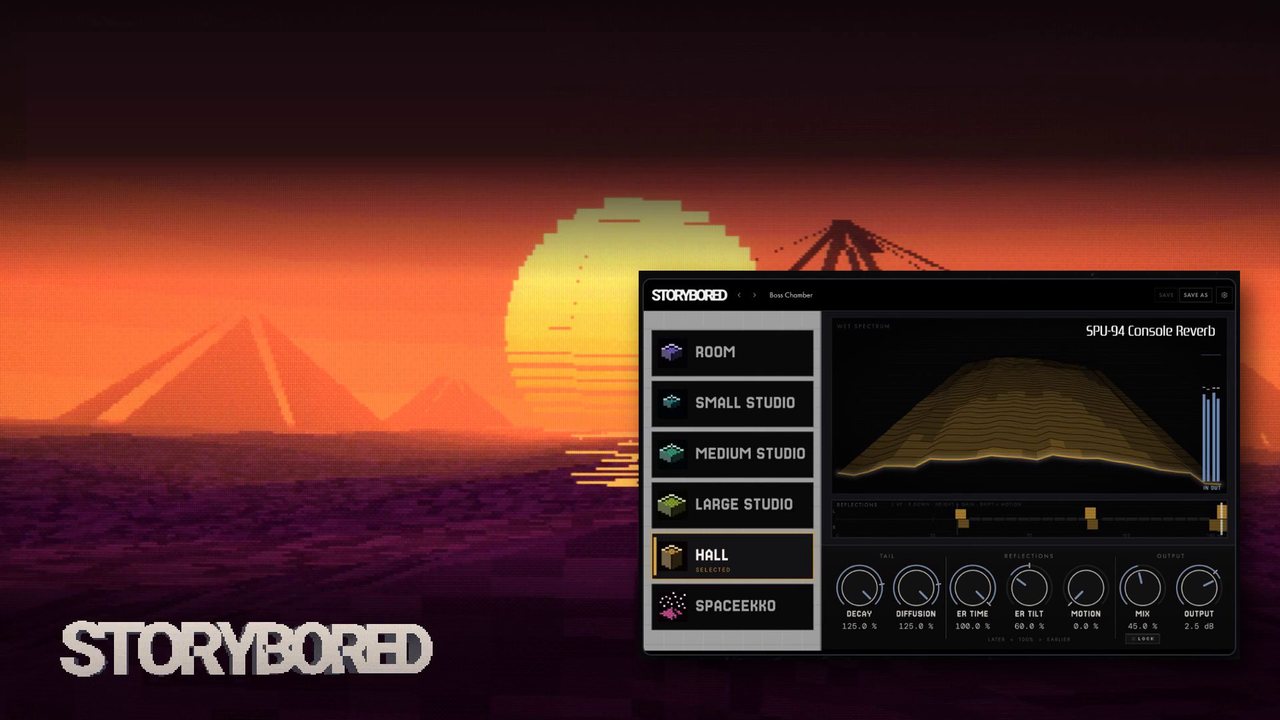
I went down a rabbit hole trying to recreate a sound from a video game.
Start here — 1 of 2
A mode is an emulation of one of the best preset reverbs on the console. Each is a fixed network with its own memory footprint, its own baked pre-delay and its own tail. You pick a mode; you do not build a room. DECAY, DIFFUSION, ER TIME, ER TILT and MOTION lean on whichever mode is loaded.
| Mode | Reflections | Tail | |
|---|---|---|---|
| ROOM | A short gap, then four reflections packed close together | Dense and short — a texture, not a distance |
| SM STUDIO | Almost no gap; the wet arrives on top of the note | Tight and dark, with the widest DECAY range |
| MD STUDIO | A normal gap, reflections spread a little wider | A little longer than ROOM — the everyday one |
| LG STUDIO | Reflections spread wide enough to read as a room | The first real room, and the most musical DECAY |
| HALL | Two loud reflections 140 ms apart — the flam ER TIME removes | Long and fixed; DECAY barely moves it |
| SPACEEKKO | The longest gap, then a slow bloom | The longest and brightest tail in the set |
MODIFICATIONS
ReflectionsA gap, then four comb taps per side. Both are baked into the preset — ER TIME, ER TILT and MOTION move them, but the mode sets where they start.
TailWhat follows and how long it stays. DECAY scales the wall gain, DIFFUSION smooths the wash; this is what you get before you touch either.
Size is not length
HALL is the biggest mode but not the longest, and DECAY barely moves it. SPACEEKKO waits longest to start, then outlasts everything. Page 14 says which modes respond to which knob.
Start here — 2 of 2
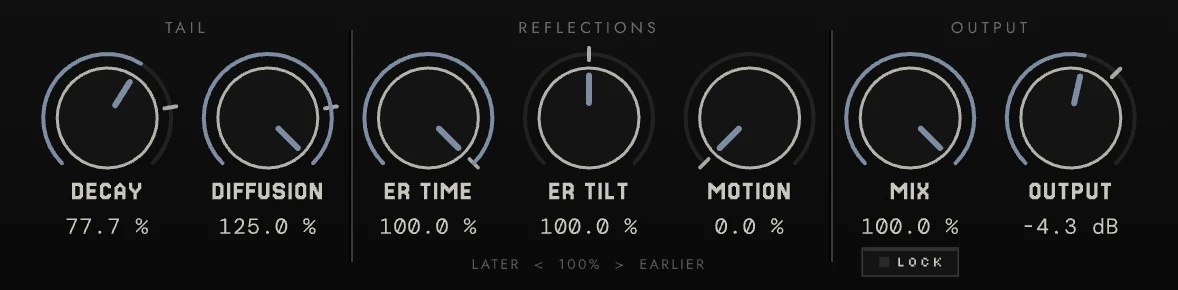
The controls group the seven knobs the way the reverb is built: what happens to the tail, what happens to the first reflections, and how the result leaves the plugin. Each knob has a home marked on its track; at home, the console preset is untouched.
The wash
DECAY
Scales the wall-reflection gain. 100 is the console; above it is longer than the hardware could go, and the tank starts to saturate — SMALL and LARGE STUDIO break up nicely. 1 is never silence.
DIFFUSION
Scales the two all-pass gains. Lower is fluttery and discrete; higher is a smoother wash. At 0 the reflections act more like a multi-tap delay. Texture, not level.
The first sound — four comb taps per side
ER TIME
Scales all four tap delays together. Below 100 the reflections close up and HALL's flam disappears.
ER TILT
Tilts the taps against each other by age, level-normalised. Below leans late and soft; above, early and tight. The centre is home.
MOTION
Drifts the tap reads slowly through the console's own interpolator. Wider and warmer — the swirl the hardware never had. Zero is home.
How it leaves
MIX
Equal-sum crossfade, not a send. 70 is deliberately wet so the plugin reads as on. At 0 the engine does not run at all.
OUTPUT
A post-blend trim, so MIX never has to be a level control too. Read by the OUTPUT LEVEL meter.
The plugin — 1 of 2
The plugin — 2 of 2
Dry path
Wet path — 22.05 kHz
Then
The six modes — 01 · the default
Short, dense and obviously artificial: a corridor rendered in 16-bit.
The smallest of the closed spaces you would call a reverb, and the one the plugin boots into. Its 43 ms pre-delay keeps your attack clear, and the tail arrives as a dense block rather than a bloom — you hear the room as a texture, not as a distance.
DECAY travel is modest: a little over two to one across the whole knob. ROOM is a colour you place, not a length you shape.
The six modes — 02 · the darkest, the widest range
A tight, dark booth that DECAY turns into a four-second smear.
The only mode with a near-zero pre-delay: 9.6 ms, so the wet arrives almost on top of your note. It is also the darkest of the six, with the least energy above 8 kHz — useful when a brighter mode would fight the source.
Its DECAY range is the widest in the plugin by a distance — thirty to one. The name describes the space at 100 %, not at 125 %.
One knob, two instruments Sweep DECAY from 1 to 125 on a held chord and you travel from a dry booth to the murkiest wash the plugin can make. Nothing else in the set moves like this.
The six modes — 03 · the everyday one
Balanced, a little longer than ROOM, still clearly a console.
The middle of the studio trio, and the normal reverb of the set: a comparable pre-delay to ROOM, and the latest first peak of the three studio modes at 73 ms. If you are not sure which mode a part wants, start here and move outward.
Tone sits at the bright end of the set's middle, and DECAY travel is modest — a shade over two to one.
The studio trio SMALL STUDIO, MEDIUM STUDIO and LARGE STUDIO are the same idea at three sizes. Their icons are three nested boxes for exactly that reason — if you like the character but not the size, move along the trio before you leave it.
The six modes — 04 · the first real room
The first mode that reads as a real room rather than an ambience — and the best DECAY travel in the plugin.
A 1.42 s tail at default and five to one of musical travel on DECAY. This is the mode to reach for when you want the reverb to be a place the part sits in, rather than a colour applied to it.
It takes DIFFUSION well too: at 125 % the tail smooths without losing the band-limited character.
The one to automate If you want DECAY as a performance control, use this mode. SMALL STUDIO's range is bigger but changes the instrument; here the whole sweep stays musical.
The six modes — 05 · size you pick, not shape
The largest true reverb in the set — and the one DECAY barely touches.
A little over a second of tail and a slightly dark tone. Across DECAY's entire travel the tail moves from 1.26 s to 1.48 s: a ratio of 1.2 to 1. Its length lives in the comb and all-pass network, not in the wall gain DECAY scales.
So treat HALL as a fixed decision. Pick it for scale; if you need to shape a length, use LARGE STUDIO or SMALL STUDIO instead.
Where the reflections controls show best Because its length is stable, HALL is the clearest place to hear DIFFUSION, ER TIME, ER TILT and MOTION doing their work.
The six modes — 06 · the showpiece
The longest pre-delay, the longest tail and the brightest top in the plugin — a slow bloom rather than a wall.
The biggest of the six tables, and a first peak that waits until 128 ms. You hear the gap, then the space opens. It is also the brightest of the six by a clear margin, so it survives on pads and vocals where darker modes disappear.
The name is ours — the console called it Space Echo. It is a reverb rather than an echo tap, but the one mode where you can hear the delay-line lineage.
Cutscene-scale swells Defaults, MIX 70 %, a held chord: the 55 ms gap then the bloom is the signature move. Add MOTION and it becomes the widest, warmest thing SPU-94 can do.
Reference
Tail
DECAY1–125 % · home 100
Scales the wall-reflection gain of the loaded mode, and nothing else. 100 % is the console's own value; above it the tail runs longer than the hardware could, clamped internally so the loop stays stable. At 1 % the network still receives input and you get a short, dry-ish room.
Depends on the mode. Huge on SMALL STUDIO, musical on LARGE STUDIO and SPACEEKKO, almost nothing on HALL.
DIFFUSION1–125 % · home 100
Scales the two all-pass gains. Lower gives a more discrete, fluttery tail where individual reflections are audible; higher gives a smoother wash. Clamped below unity so the all-pass loops stay stable at any setting.
Texture, not level. On HALL the full travel moves the tail level by about 1.4 dB and the centroid by about 100 Hz. Hear it in the grain of the tail, not on a meter.
Reflections
ER TIME20–100 % · home 100
Scales all four comb-tap read delays together — the onset and spread of the first reflections. At 100 the reads sit on the console's own addresses; at 20 % HALL's four move from 45 / 92 / 137 / 185 ms to 9 / 18 / 27 / 37 ms.
Removes the flam. HALL's two loudest taps sit 140 ms apart; ER TILT can rebalance them but cannot bring them together. The 20 % floor keeps the four from collapsing into one, and every setting is safe.
ER TILT0–200 % · home 100
The four comb taps are the console's only early-reflections path, so this tilts them against each other by tap age, energy-normalised so loudness holds within a few dB. Below 100 leans later — more wash, softer attack. Above 100 leans earlier — tighter and more direct.
A fine adjustment. About 1.5 dB and under 100 Hz across its travel on HALL, less than half that on ROOM. At exactly 100 it is bypassed.
MOTION0–100 % · home 0
The console's reverb is completely static. MOTION drifts the four comb read positions slowly — two detuned sines per tap and channel, 0.11–0.42 Hz — so it never repeats audibly. At 100 % the drift reaches about 2.7 ms per tap and about ten cents of pitch.
Chorus, and darker. The drift is read through the console's own Gaussian interpolator, a low-pass: on HALL at 100 % the centroid drops from 4.5 to 3.7 kHz and the level falls about 1.6 dB. Warmth is part of the effect.
Reference
MIX0–100 % · default 70
An equal-sum crossfade between dry and wet — not a send. 50 % is equal gain; the default 70 % is deliberately wet, because a reverb should sound on when you insert it. Smoothed over 12 ms. At 0 % the engine is not ticked at all: bit-exact bypass.
MIX LOCKon / off · default off
The LOCK button under MIX holds MIX where you set it, overriding the value in any preset you load. Use it to keep a blend you like, or to stay at 100 % wet on a send while you browse presets.
OUTPUT−24 … +12 dB · default 0
A post-blend trim with a 12 ms linear ramp, so MIX does not have to be a level control as well.
INPUT / OUTPUT LEVEL−60 … +12 dB
Per-channel peak meters at 30 Hz. OUTPUT LEVEL is read after the trim: what leaves the plugin.
Wet peaks can pass 0 dBFS by up to about 5.6 dB on full-scale noise — reconstruction overshoot of the saturated wave, bounded and harmless inside the plugin's headroom.
Reference
The things that work the same way in SPU-94 as in everything else we make. None of it is specific to this reverb, so it is written once here and not repeated on the control pages.
Controls
| Quantity | Value |
|---|---|
| Type a value | Double-click a knob to enter a value directly. On a slider or fader, double-click the displayed value instead. |
| Back to default | Option-click (Alt-click on Windows) any control to return it to its default. On SPU-94 the default is the console's own setting. |
| Knob speed | How far a drag moves a knob is set in the settings panel, behind the gear in the header. It applies to every STORYBORED plugin at once. |
The window
| Quantity | Value |
|---|---|
| Resizing | Drag the corner to resize. The whole interface scales; nothing is hidden or rearranged at any size. |
| Remembered | The size you leave a plugin at is the size it opens at next time, per plugin, in every host. |
| Original size | Open settings and choose the reset option to return to the size the plugin shipped at. |
DEMO MODE AND AUTHORIZATION
Every STORYBORED plugin starts in demo mode. To authorize it, open settings, enter your serial number and confirm. An internet connection is required for that step — the plugin checks the serial once, then runs offline. Your serial is in your STORYBORED account and in the email that came with your purchase.
The settings panel
The gear at the right of the header. Knob speed, window reset and authorisation all live here, alongside anything a particular plugin adds. It looks the same in every STORYBORED plugin.
SPU-94 keeps the console's own behaviour, and some of it can be unexpected. Here's what's happening and what to do.