
Granular delay and texture effect
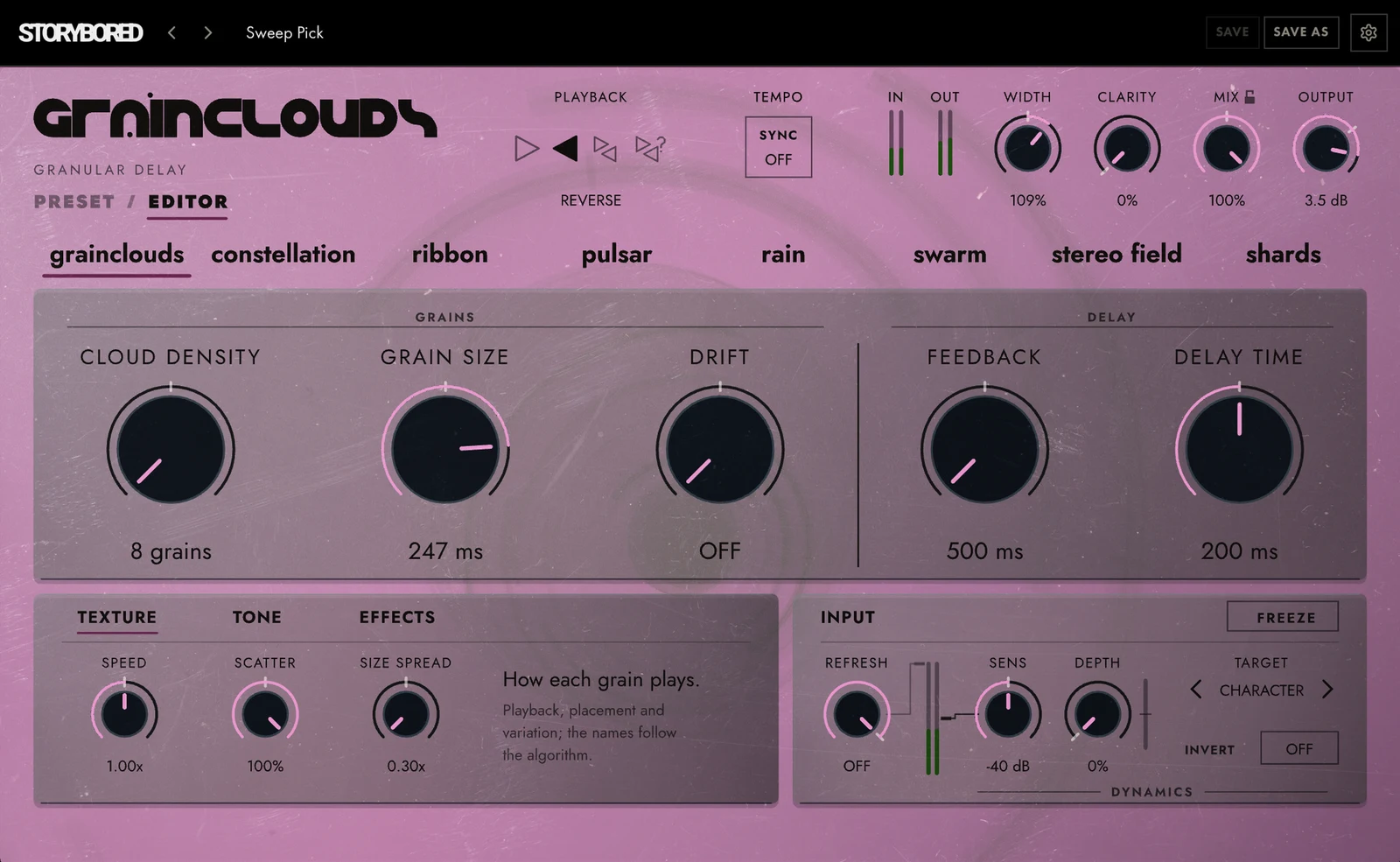
Turn what you play into drifting clouds, rhythmic echoes and frozen textures, from subtle movement behind a part to wide ambient beds. GRAINCLOUDS is a granular delay with eight algorithms, for guitar, vocals and anything else you play.
GRAINCLOUDS takes what you just played, cuts it into grains, and plays them back eight different ways: as a drifting cloud, a night sky, a tape machine, a swarm. Turn a few knobs and it's a texture. Set DELAY TIME, or lock it to your tempo, and it's an echo. Your playing drives it, so chord changes come through clean and stutters follow your rhythm. It's as quick to reach for as a delay or a modulation effect.
- Eight granular algorithms, each with its own named controls.
- Delay time set freely or locked to tempo, plus rhythmic grain patterns.
- Octave and interval grains, stereo movement and frozen textures.
- Your dynamics can move the sound, and REFRESH clears the buffer on a new note so chord changes come through clean.
- Built-in reverb from SPU-94, modulation, pitch shift and a filter.
Hear it
Eight ways to make a cloud
It started out as an experimental reverb. The grains got more interesting than the room, and it grew into a family of algorithms that each create grains and play them back in their own way.
grainclouds
Video: grainclouds mode, grains from the last second you played (3:11)
The namesake. It textures what you play, scatters it with randomness and folds octaves into the grains. CLOUD DENSITY sets how many grains are alive and DRIFT detunes them. At SPEED 0, a held vocal stays at its own pitch while new notes still enter the cloud.
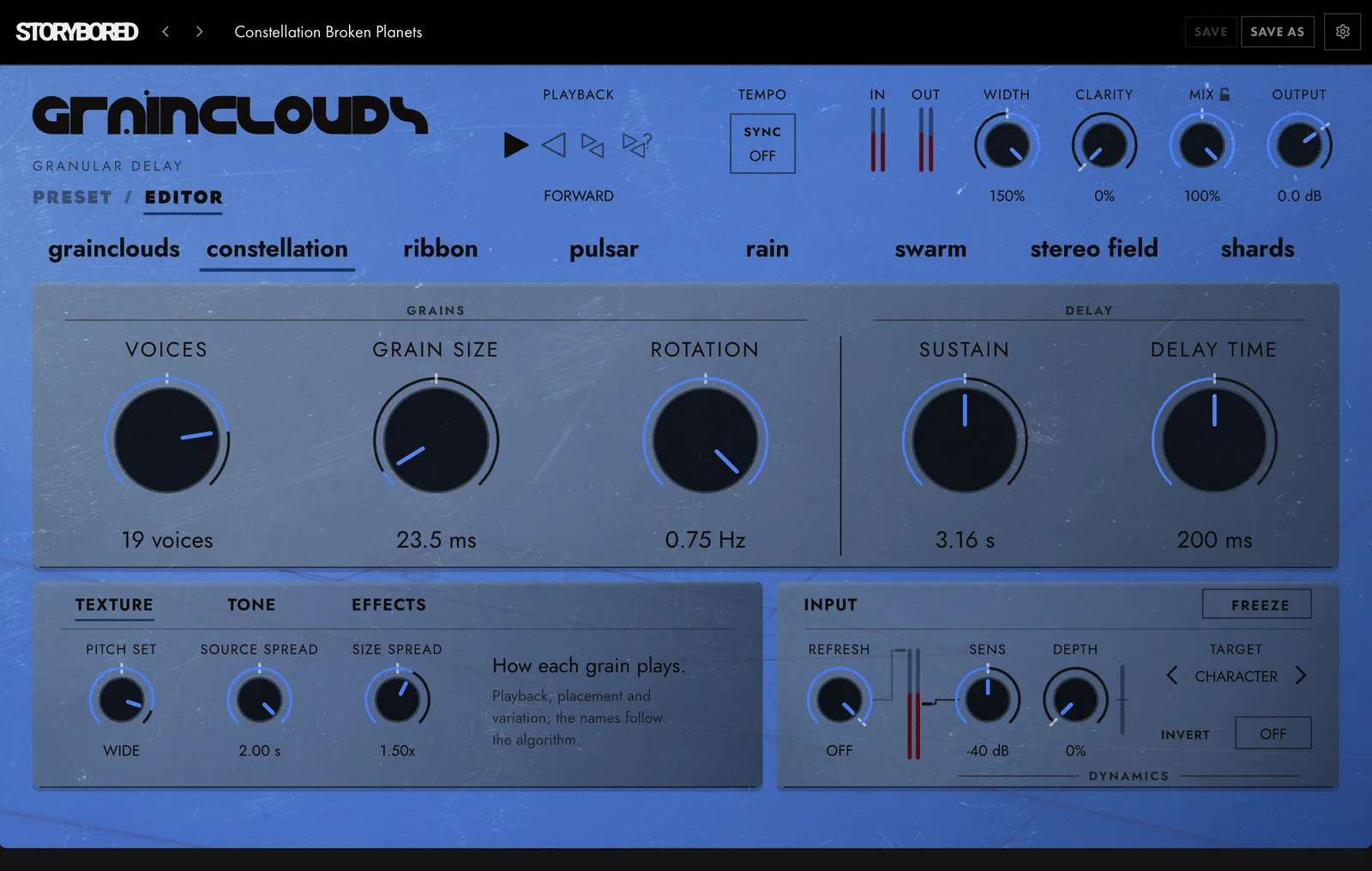
Constellation
Video: Constellation mode, intervals added to every note (2:32)
Grains shoot across a virtual night sky. The star field is persistent, so the same settings give you the same sky every time. VOICES, ROTATION and PITCH SET shape it.
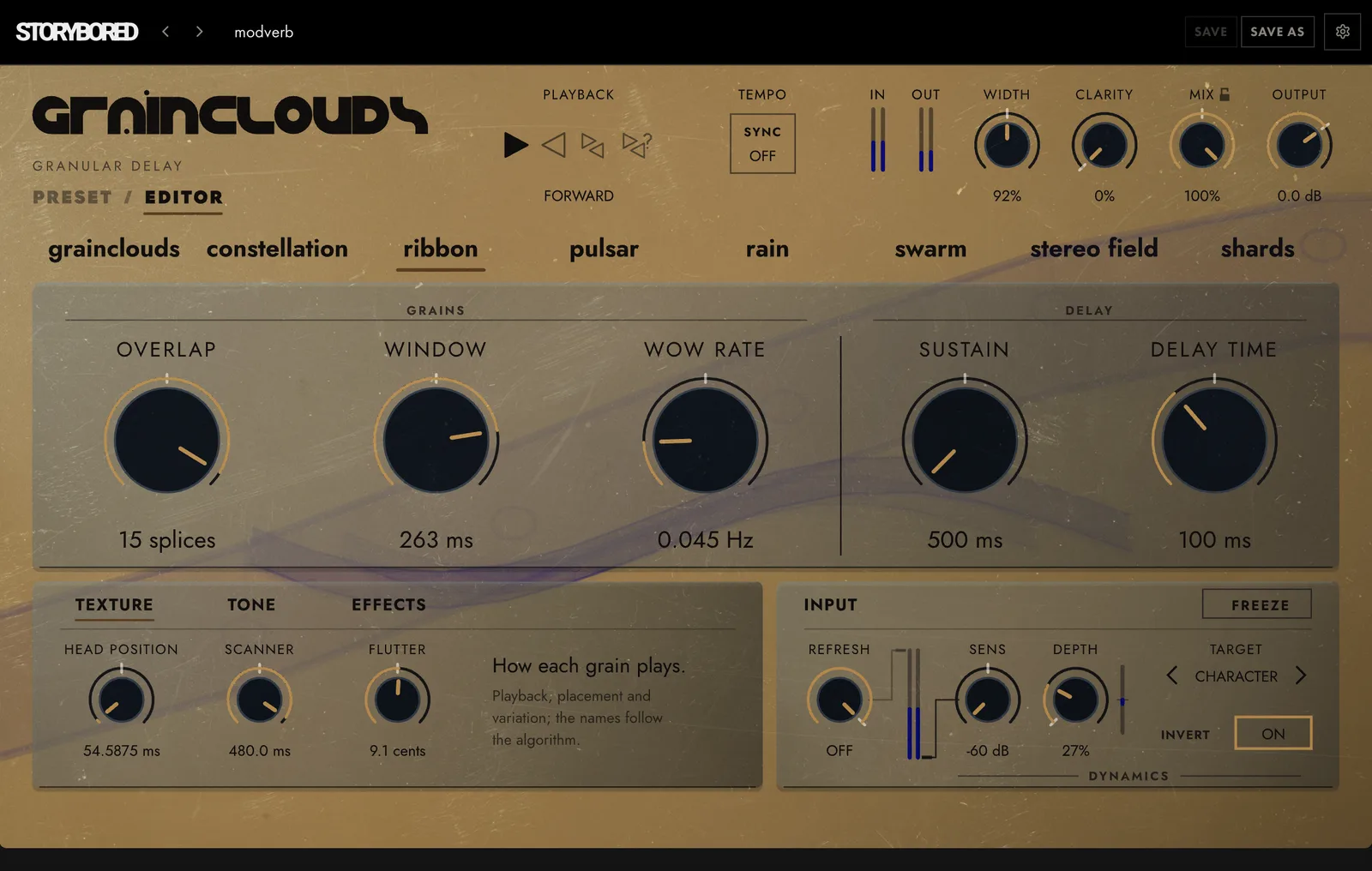
Ribbon
Video: Ribbon mode, a tape machine made of grains (2:59)
A tape machine built out of grains. FREEZE a phrase and scrub the playhead by hand with HEAD POSITION, or let WOW RATE and FLUTTER push it into granular tape flanging.
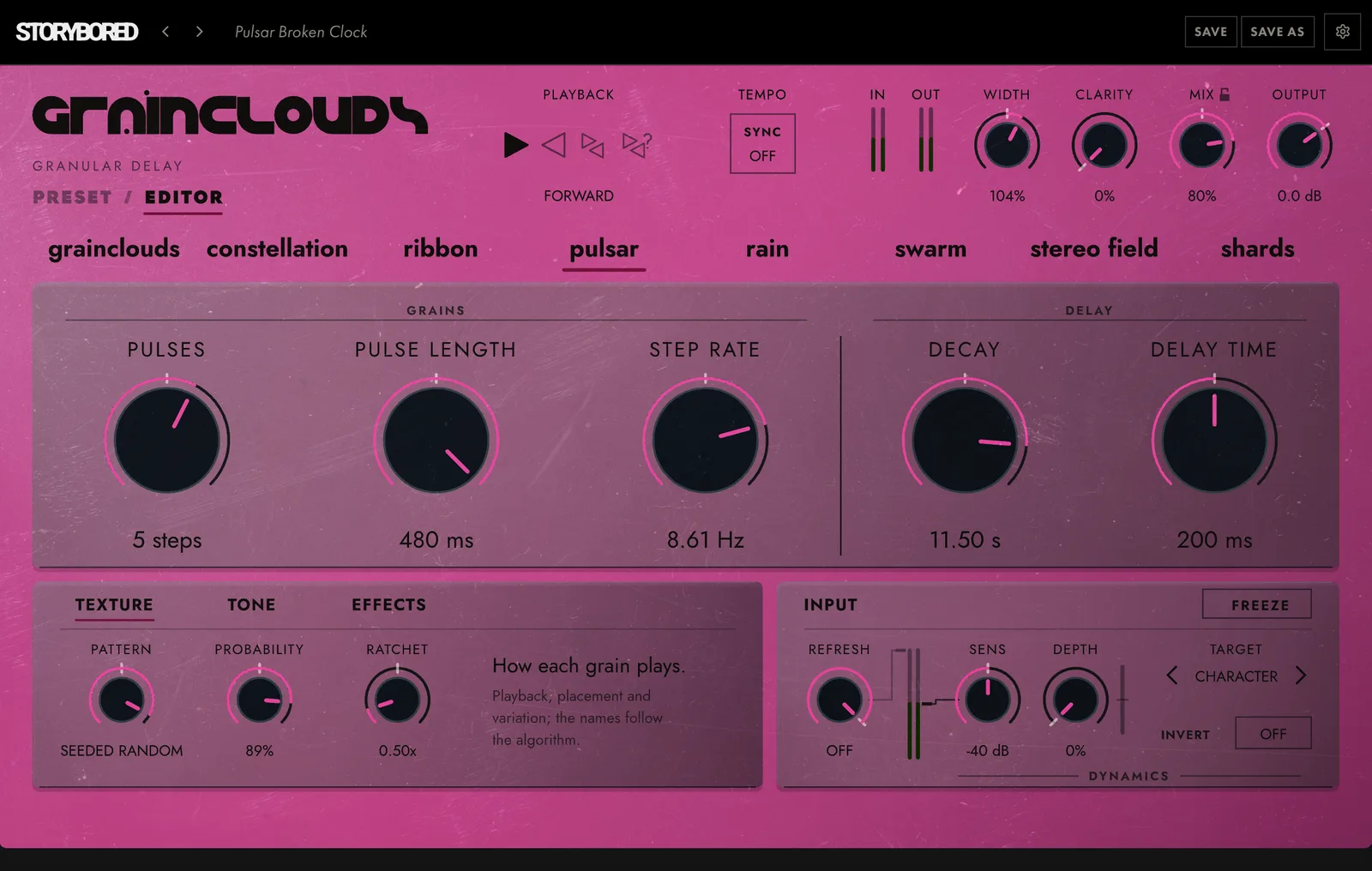
Pulsar
Video: Pulsar mode, a step sequencer for grains (2:38)
Grains fired as a pattern of pulses. PULSES, PULSE LENGTH, STEP RATE and PATTERN, with PROBABILITY and RATCHET under TEXTURE.
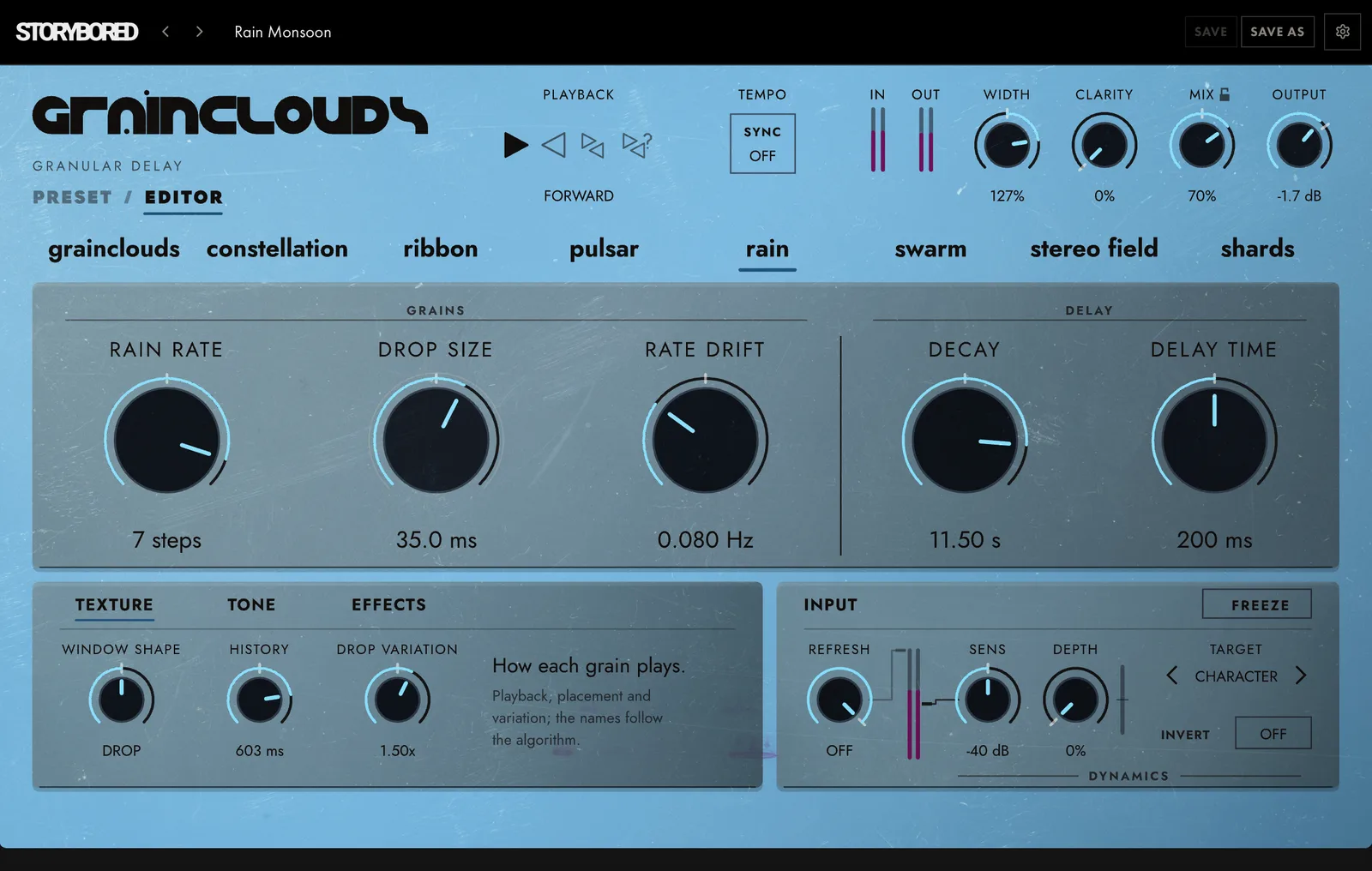
Rain
Video: Rain mode, pieces of what you play at random times (2:26)
Grains that fall like drops. RAIN RATE, DROP SIZE and RATE DRIFT, with WINDOW SHAPE, HISTORY and DROP VARIATION under TEXTURE.
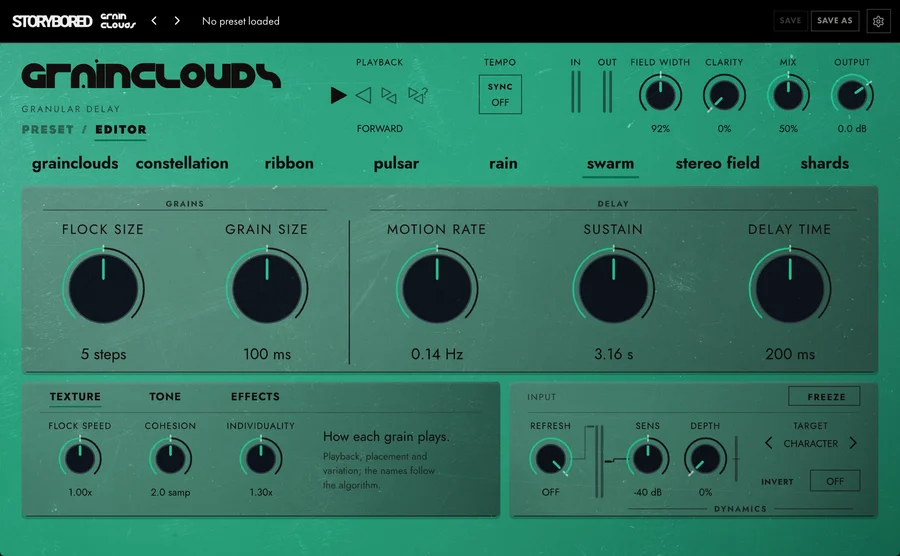
Swarm
Video: Swarm mode, a flock of grains (2:35)
Chaotic chorus. The grains move as a flock, pulled toward a shared centre rather than following one LFO. FLOCK SIZE, MOTION RATE, COHESION and INDIVIDUALITY set how tight it flies.
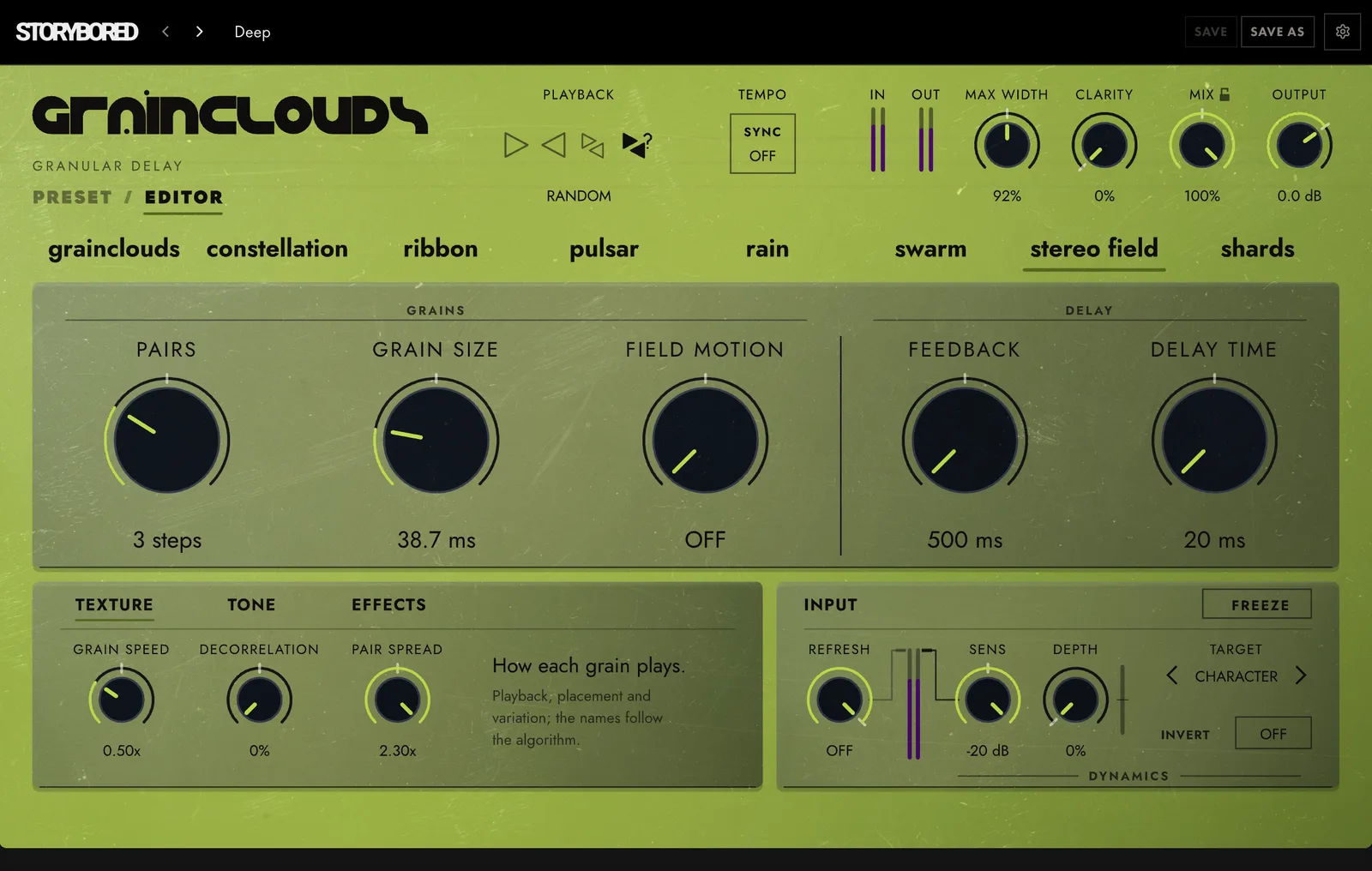
Stereo field
Video: Stereo field mode, grains in left and right pairs (2:20)
Grains born as left and right pairs, 1 to 15 of them, spreading and moving across the image. The stereo is built into the grains, not added by a widener afterwards. PAIRS, FIELD MOTION and DECORRELATION.
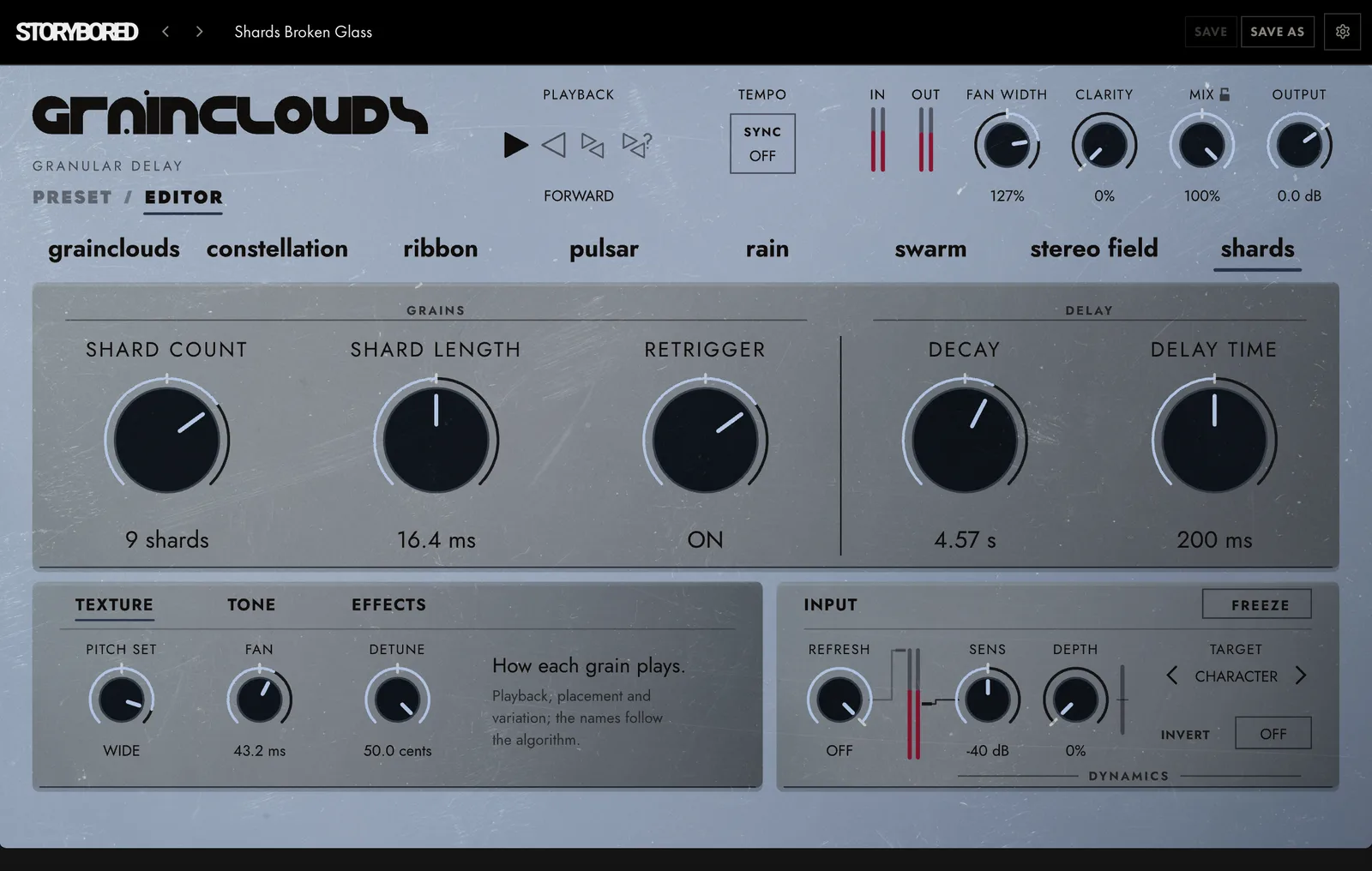
Shards
Video: Shards mode, every pick throws pitched slivers (2:30)
Your audio split like cracking glass. SHARD COUNT, SHARD LENGTH and RETRIGGER, with PITCH SET, FAN and DETUNE under TEXTURE.
Built for exploring
Jump between algorithms as often as you like. Each one keeps its own settings, so you can try Swarm, come back to Ribbon, and find it exactly where you left it. Each algorithm also brings its own controls: in Rain you're setting drop size, in Swarm how tight the flock flies, so you always know what you're shaping. And every algorithm has its own visualizer, drawn from the sound you feed it, so you can see what the grains are doing as you play.
Your playing drives it
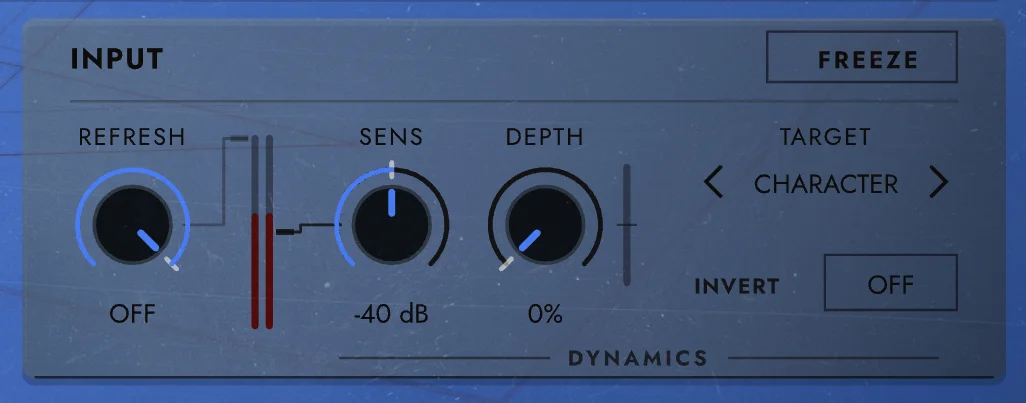
DYNAMICS lets how hard you play move the sound. Pick a TARGET (CHARACTER, LENGTH, SPREAD, DENSITY or DECAY) and set how far your playing pushes it. REFRESH listens for your next note and clears the grain buffer when it lands, capturing the new sound instantly, so chord changes come through clean instead of stacking up on each other. Pair it with FREEZE and the stutters follow your rhythm and pitch.
Then the effects
Every algorithm runs into the same effects section: the console reverb from SPU-94, MODULATION for tremolo and pitch wobble, PITCH to shift the grains up to an octave either way, and a filter. SAMPLE RATE drops the rate on the fly, changing the grains' pitch, length and fidelity as you turn it.
The texture stays behind you

CLARITY ducks the texture under your dry signal in four bands, keyed from the dry, so a vocal stays on top without wiring a sidechain.
Download first, buy when you're sure
DOWNLOAD gets you the full plugin: every algorithm, every control. Until you buy, it goes quiet for 10 seconds every minute, and there's no time limit, so keep it in your sessions as long as you like. When you're ready, BUY is $24.99. Enter your key and the silences stop. There's nothing to reinstall.
Product facts
Price: $24.99
macOS: AU, VST3, AAX. Apple Silicon and Intel. macOS 12.0 or later.
Windows: VST3, AAX. x86. Windows 10 (1803 or later) or Windows 11, 64-bit.
Version: 1.2.4
Demo: The download is the full plugin. Until you buy, it goes quiet for 10 seconds every minute. No time limit.
Licence: A paid licence key, entered in the plugin. The demo is free; the plugin is not.
Questions
Can I use GRAINCLOUDS on guitar live?
Yes, it's built to follow your playing: it listens for your next note and clears the grain buffer when it lands, so chord changes come through clean instead of stacking up. It runs as AU, VST3 or AAX on Mac and VST3 or AAX on Windows.
Can it freeze a sound into a held texture?
Yes. FREEZE holds what GRAINCLOUDS has captured, and a new hit can re-capture it, so the stutters follow your rhythm and pitch. Ribbon lets you freeze a phrase and scrub through it.
Does the delay sync to tempo?
Yes. Set DELAY TIME freely, or lock it to your tempo and it's an echo in time with the track.
Will the texture bury my guitar or vocal?
CLARITY ducks the texture under your dry signal, so a vocal stays on top without wiring a sidechain.
Can I try it before I buy?
Yes. The download is the full plugin, every algorithm and every control. Until you buy, it goes quiet for 10 seconds every minute, with no time limit. Enter your key and the silences stop; there's nothing to reinstall.
Also from STORYBORED
Want your phrase back as loops? MICROLOOPS turns what you play into short loops, octave stacks, strums and rearranged phrases, six different ways.